What if streamingwere simpler?
Your OBS controlled from your browser, your stream monitored from anywhere.

 Already streaming with us
Your stream drops and nobody tells you. You want to switch scenes, but your PC is back home.
That's what Semirprod is for. And it keeps growing with you: most of what we add comes from what streamers ask us for.
Got an idea, something you're missing? Tell us.
You control OBS from a browser tab
Switch scenes from your phone at the far end of the garden. Just like sitting at your desk.
Scenes · Program preview · Sources · Audio mixer
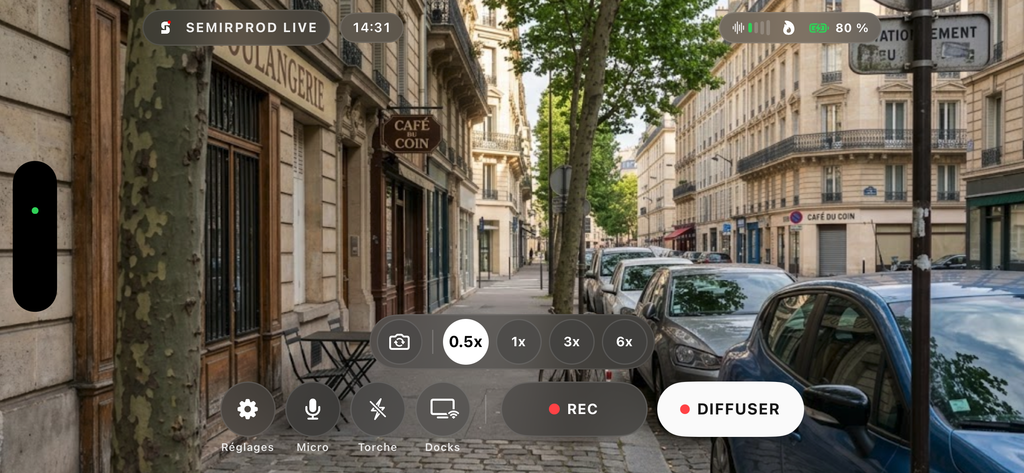
Your phone becomes a camera
Connect your phone wirelessly in seconds. Use the Semirprod app or a simple link.
Wireless · With or without the app
Coming soon
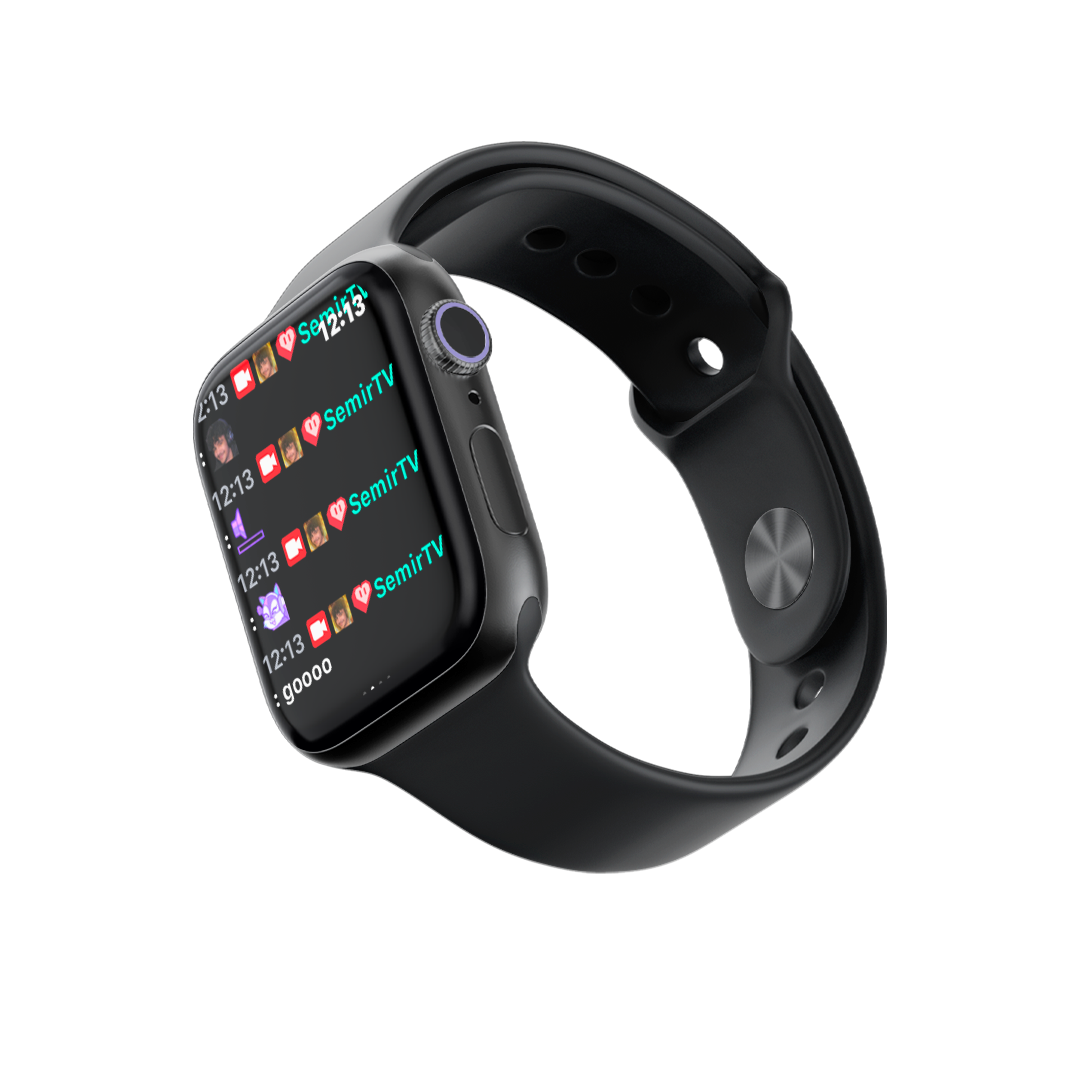
Your chat on your wrist
The iPhone app puts your chat on your watch, so you can read it without pulling out your phone. Plus plenty of other tools for your stream.
Chat on your watch · And more tools
Coming soon
You see your stream live
Your stream's health and bitrate, in real time. You don't find out by reading your chat.
Stable signal · Incoming bitrate · Congestion · Dropped frames
Best part: it all runs on your PC.
Your OBS, your scenes, your plugins. Nothing to relearn, no extra server to rent: your graphics card already does the work.
No PC at hand? Write to us and we'll figure it out together.
86h
Of live streaming delivered with Semirprod.
Three steps, once.
After that, you never think about it again.
Install the plugin
An OBS plugin for Windows bridges your software and your Semirprod dashboard.
Connect in one click
Your stream key links itself. No server to configure.
Go live
You control everything from your browser, on desktop or on your phone.
They stream with Semirprod.
@komiaaaView channel on Twitch @fcm_itoshiView channel on Twitch @ldsleyzyxView channel on Twitch @tasawar_atoView channel on Twitch  @iloonamsView channel on Twitch
 @7znartexView channel on Twitch @komiaaaView channel on Twitch @fcm_itoshiView channel on Twitch @ldsleyzyxView channel on Twitch @tasawar_atoView channel on Twitch @iloonamsView channel on Twitch @7znartexView channel on Twitch @komiaaaView channel on Twitch @fcm_itoshiView channel on Twitch @ldsleyzyxView channel on Twitch @tasawar_atoView channel on Twitch @iloonamsView channel on Twitch @7znartexView channel on Twitch
 @02rayaneView channel on Twitch
 @novalitooView channel on Twitch
 @nach_l_alienView channel on Twitch
 @houssemsemView channel on Twitch
 @badelle95View channel on Twitch @02rayaneView channel on Twitch @novalitooView channel on Twitch @nach_l_alienView channel on Twitch @houssemsemView channel on Twitch @badelle95View channel on Twitch @02rayaneView channel on Twitch @novalitooView channel on Twitch @nach_l_alienView channel on Twitch @houssemsemView channel on Twitch @badelle95View channel on Twitch
Questions we get asked.
Your next stream, made simpler.
Pick your plan, install the plugin and go live.
An event to broadcast rather than a subscription? Request a quote.